Pocket Invoice vs Wave
Wave offers free invoicing, but adding attachments, removing Wave branding and inviting administrators, editors and viewers all require Pro. Starter accounts without Wave online payments also need Pro for automatic payment reminders. Each company needs a separate subscription. For example, two companies require two subscriptions.
All these features are available free and unlimited with Pocket Invoice.
Features and costs
Key differences
| Comparison | Pocket Invoice | Wave |
|---|---|---|
| Invoice attachments | Add attachments for free. | At least Pro (USD 19/mo/company). 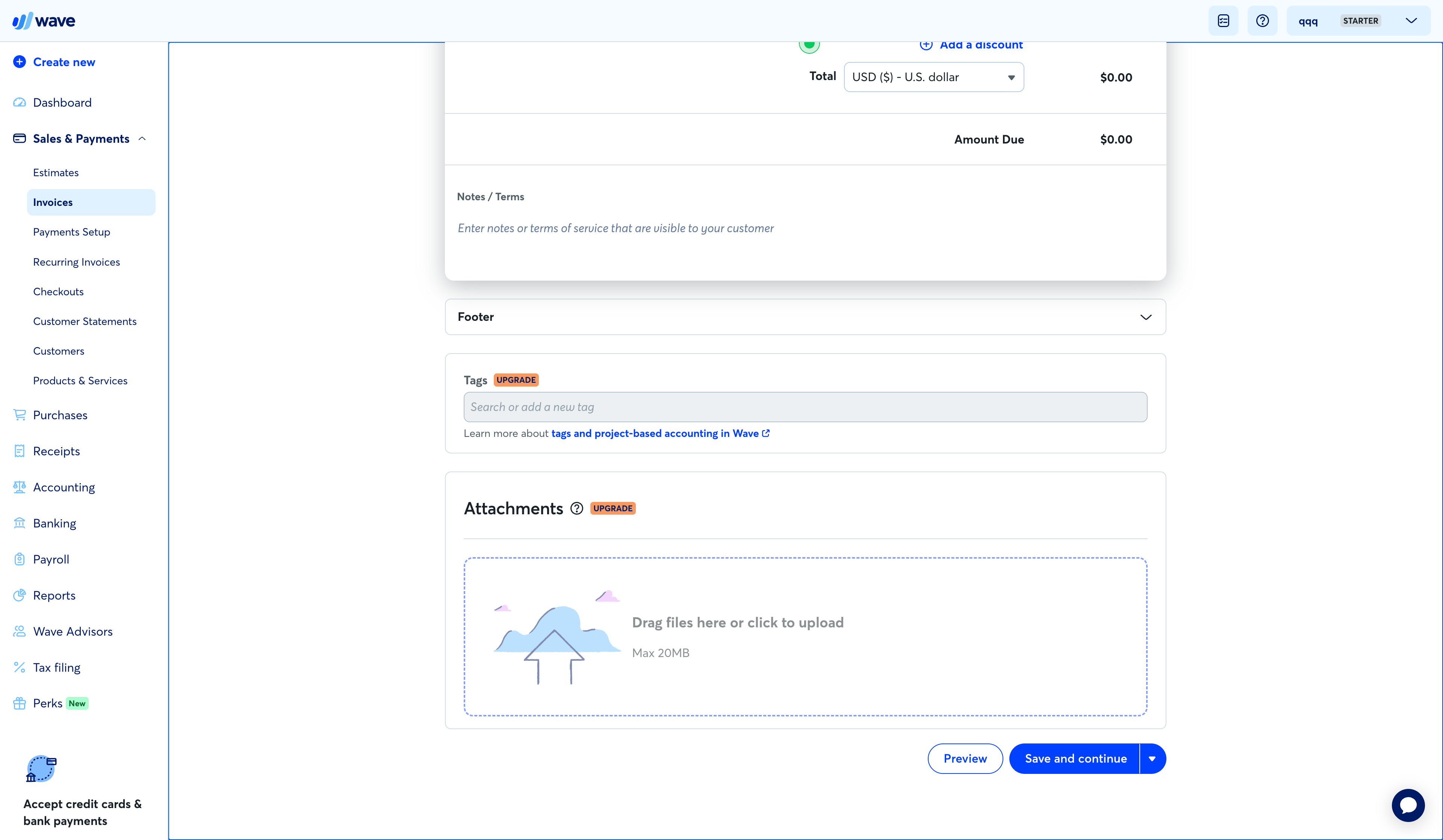 |
| PDF watermarks | No watermarks. | Branding is mandatory. Removing it requires at least Pro, billed at USD 19/month per company. 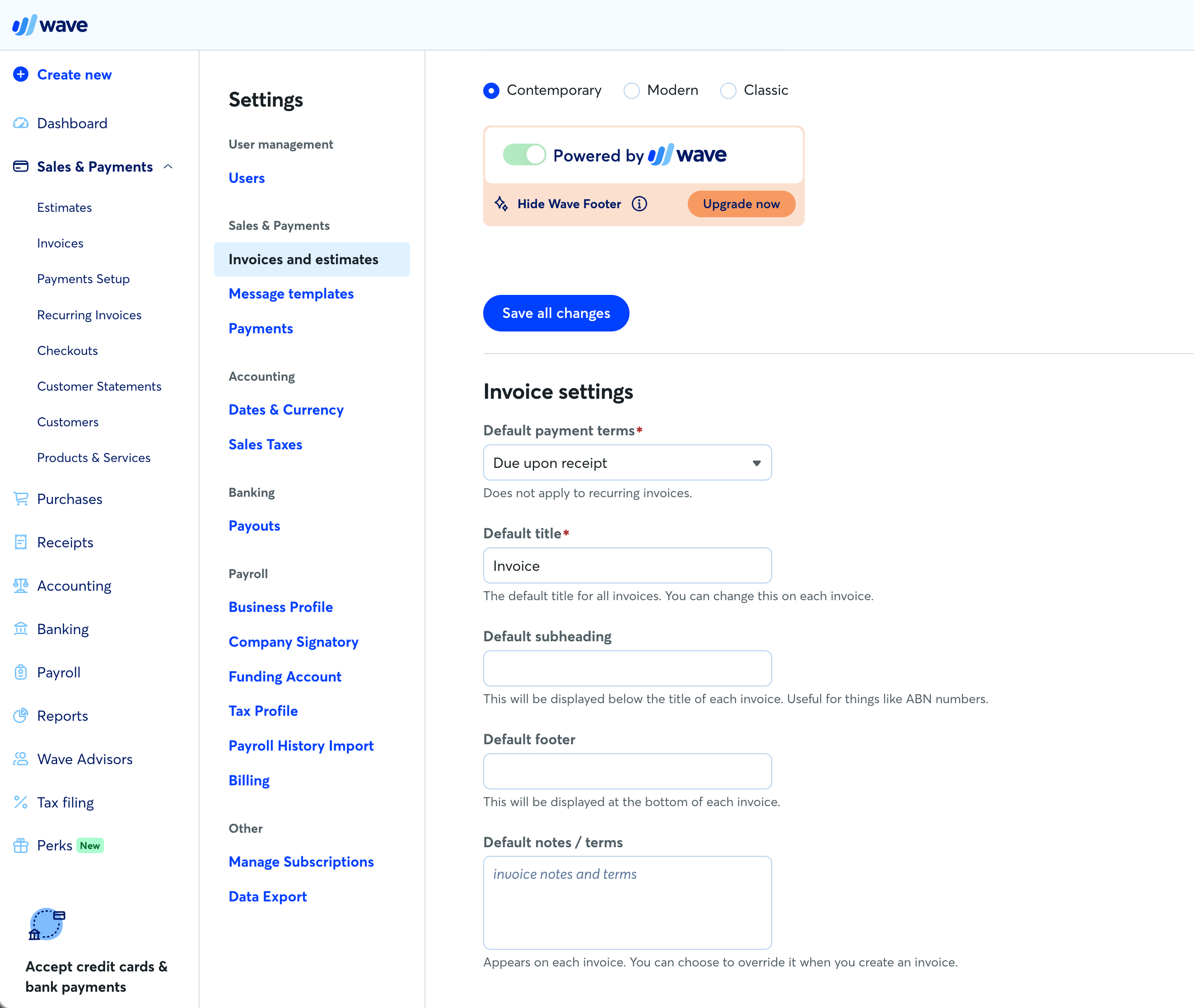 |
| Automatic payment reminders | Automatic payment reminders are free to use. | If you don't have Wave online payments, then you need at least Pro (USD 19/mo/company) for automatic payment reminders. 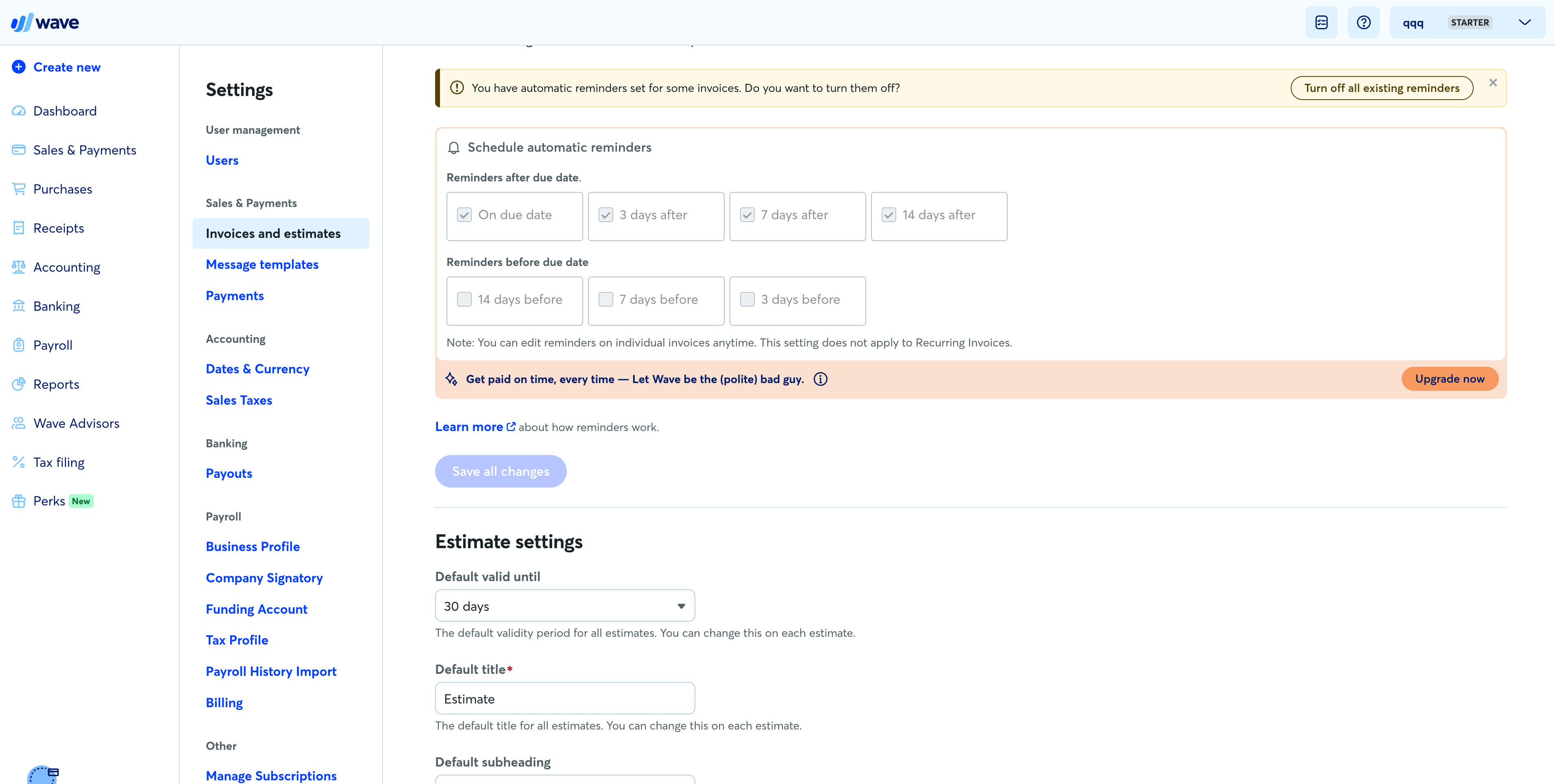 |
| Team collaboration | Team collaboration is free to use. | At least Pro (USD 19/mo/company). 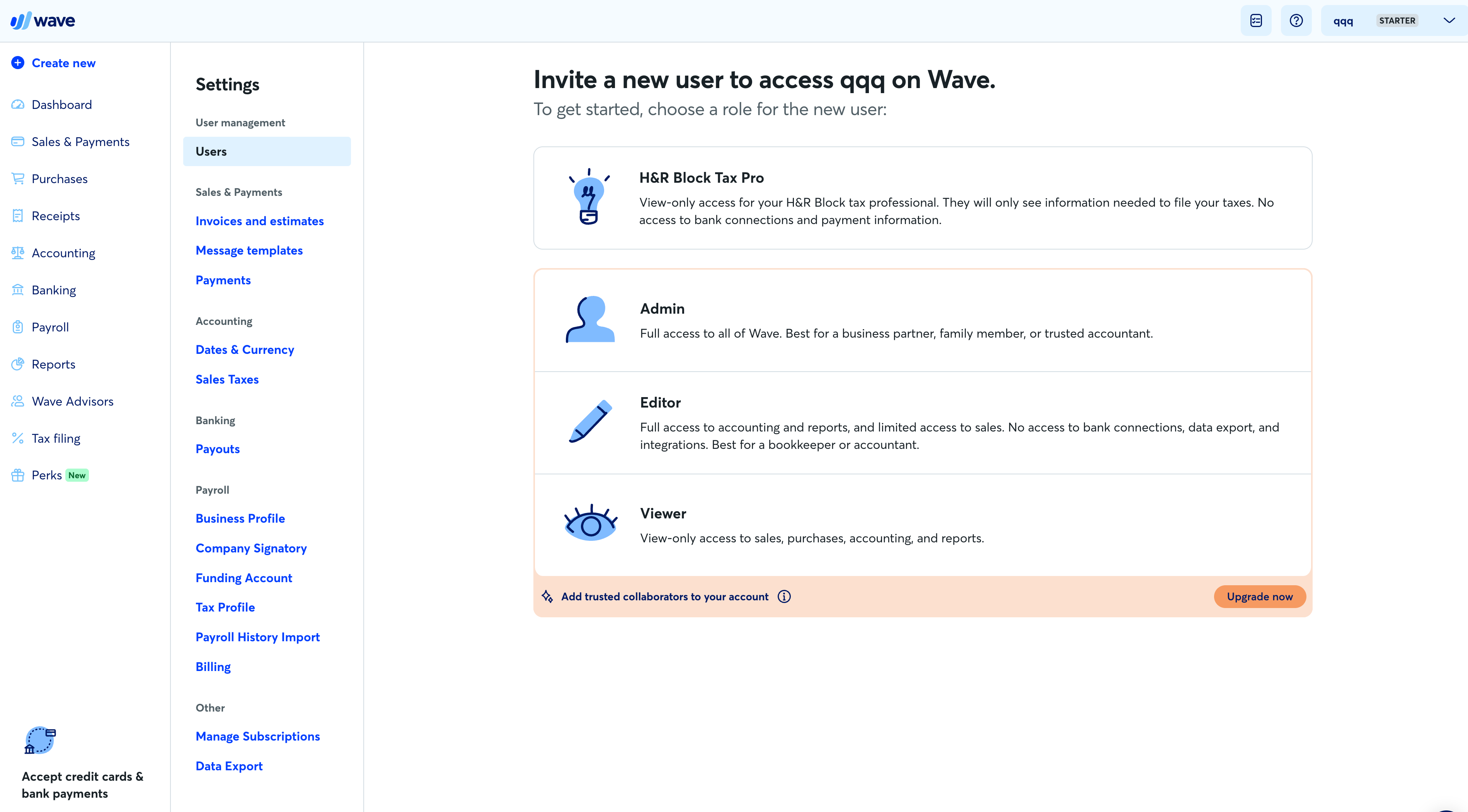 |
| Multiple-company management | You can manage multiple companies for free with a single account. | You can manage multiple companies. But if you use Pro for each company, you need a subscription for each one.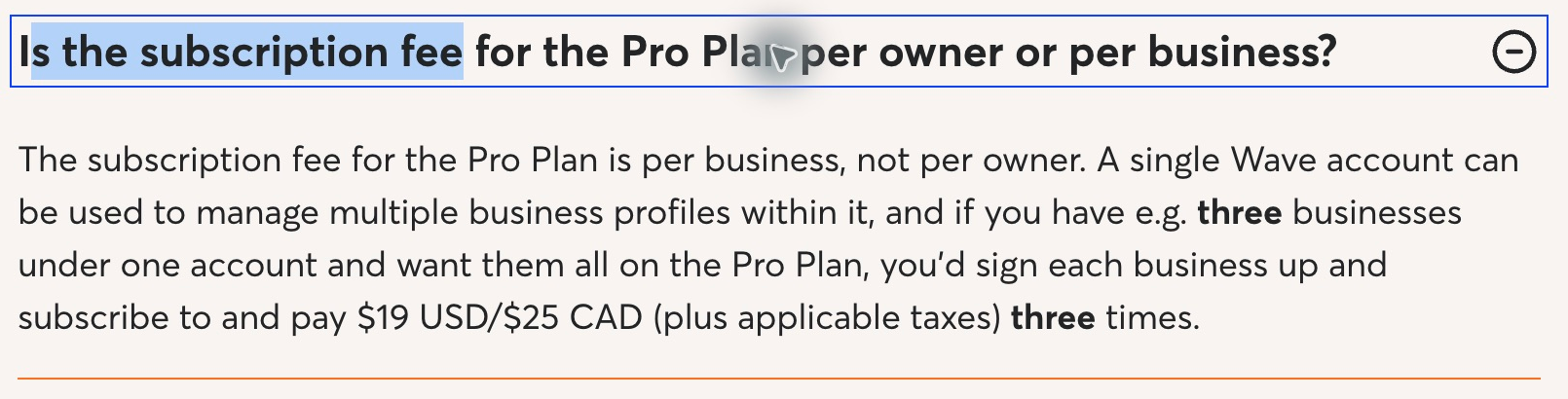 Read Wave's official per-company billing policy ↗ |
| Subscription cost | Completely free | Starter is free. Pro (USD 19/mo or USD 190/yr) per company. 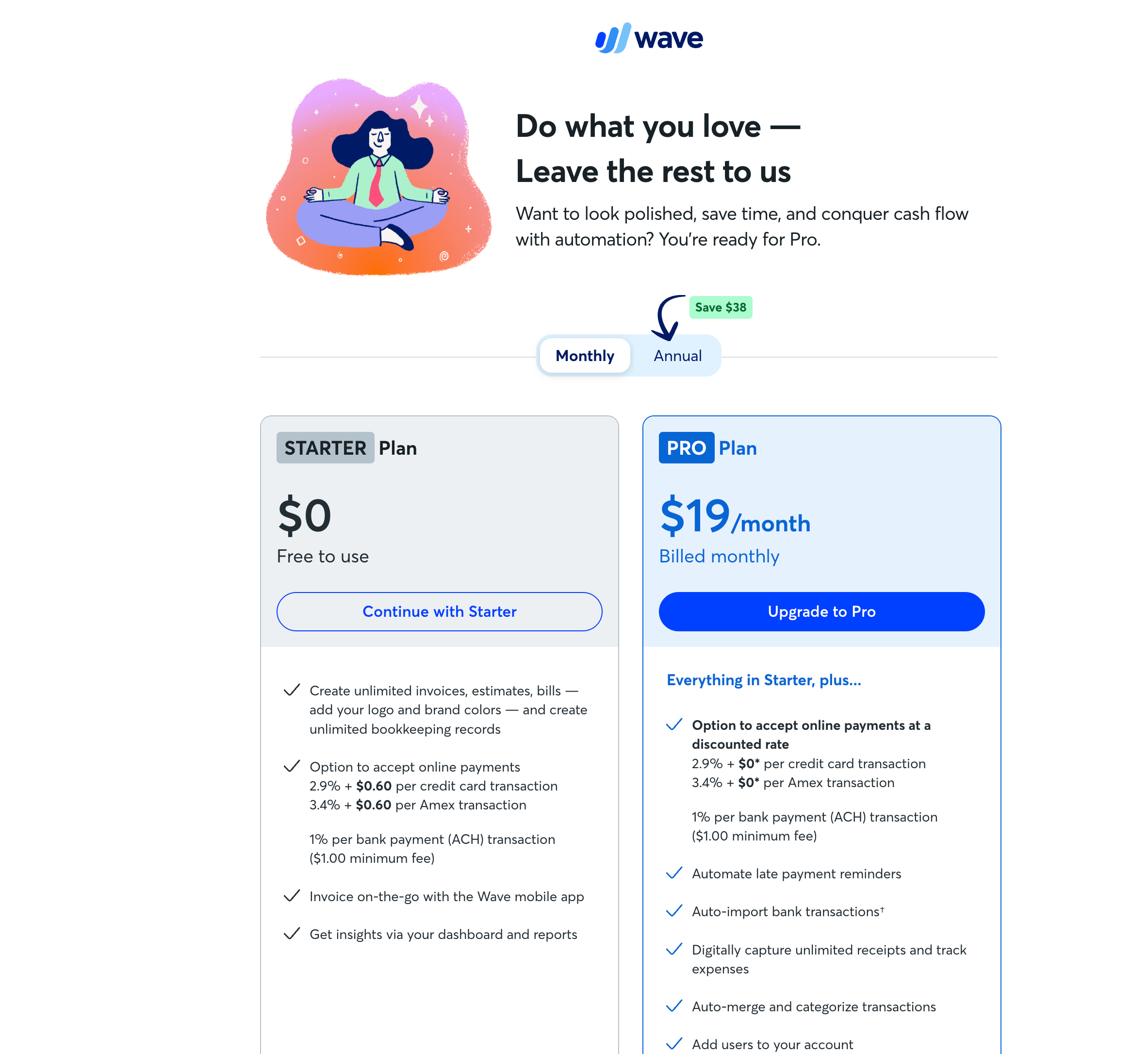 |
Official sources: Wave pricing, collaboration roles and per-company billing · Invoice attachments · Footer branding and reminder settings.
Compare with other invoicing software
Pocket Invoice vs FreshBooks
FreshBooks. Lite: you can invoice for 5 clients only. Plus: you can invoice for 50 clients. USD 11/month for each team member. From Plus you can get electronic signatures.
Pocket Invoice FreeFreshBooks Lite from USD 23/month, regular monthly billing
Pocket Invoice vs Wave
Wave requires Pro for attachments, removal of platform branding and team roles such as administrator. Each company needs its own subscription. Screenshots show upgrade prompts from a real account.
Pocket Invoice FreeWave Starter free; US Pro USD 19/month
Pocket Invoice vs HoneyBook
HoneyBook. Starter. Regular team members not allowed. For removal of platform branding you need Essentials. For multiple companies you need Premium.
Pocket Invoice FreeHoneyBook US Starter USD 29/month, billed annually
Pocket Invoice vs Bonsai
Bonsai. Basic: no invoicing. For invoicing you need Essentials. For removal of platform branding you need Premium. And you're charged for each team user.
Pocket Invoice FreeBonsai Essentials USD 19/user/month, billed annually
Pocket Invoice vs Harvest
Harvest's free plan allows only 1 active user and does not support uploading a logo or adding attachments. Sending invoices and exporting PDFs require a Stripe connection.
Pocket Invoice FreeHarvest Free plan available; Teams from USD 9/seat/month, billed annually
Pocket Invoice vs InvoiceFly
InvoiceFly. For the free account you can have up to 3 invoices. For unlimited invoicing you need Pro subscription. You can't see details of existing invoices, or edit, once you cancel and subscription is over.
Pocket Invoice FreeInvoiceFly In-app: USD 29.99/month or USD 98.99/year
Pocket Invoice vs Invoice2go
Invoice2go. Starter: on the monthly billing plan you can have 2 invoices/month. Professional: 5 invoices/month. For recurring invoices you need Premium. For each company you need a separate account and subscription.
Pocket Invoice FreeInvoice2go From USD 7.99/month; unlimited invoicing requires Premium
Pocket Invoice vs Invoice-Generator.com
The free plan allows only 5 invoice sends to clients per month. Recurring invoices, automatic reminders, removing platform branding and adding more team members require Pro.
Pocket Invoice FreeInvoice-Generator.com Free plan; Pro USD 9/month
Pocket Invoice vs Invoice Home
Invoice Home's free plan limits the total invoiced in the past 30 days to USD 1,000. Sending emails directly and recurring invoices require Unlimited.
Pocket Invoice FreeInvoice Home Free plan has an amount limit; Unlimited USD 5/month
Pocket Invoice vs Zoho Invoice
Zoho Invoice. You can use it for free. You can send up to 500 invoices/year. Up to 2 users. Up to 2 organizations. There is platform branding on documents.
Pocket Invoice FreeZoho Invoice Free; up to 500 invoices/year
Pocket Invoice vs Billdu
Billdu Lite allows up to 10 clients and Standard up to 50. Automatic reminders start with Standard. Recurring invoices require Premium. Each company needs its own subscription.
Pocket Invoice FreeBilldu Lite USD 4.99/month, billed annually