Skip to content
Pocket Invoice: Free Invoice makerFree Invoice Maker

Free discount calculator

Enter an original price and discount percentage to calculate the savings and discounted price. Add an optional tax rate to see the tax amount and final total after the discount.

Calculate the result

How to use the discount calculator

Find the saving, price after a percentage discount, optional tax and customer total. Use the same price basis throughout: this calculator applies one percentage reduction first, then calculates the entered tax on the reduced amount.

  1. Enter the original price

    Choose the currency and enter the amount before this discount. For several identical items, use their combined original price if the same discount and tax apply.

  2. Enter the discount percentage

    Enter the percentage taken off, such as 15 for 15% off. A price reduced to 80% of its original value is a 20% discount, not an 80% discount.

  3. Add tax only when appropriate

    Use the applicable rate if tax is calculated on the discounted, tax-exclusive price. Use zero when no extra tax should be added; do not add tax again to an already tax-inclusive amount.

  4. Review all four results

    Compare the saving, discounted price, tax and final total. Record the offer's scope and conditions in your quote or invoice; this page does not issue a coupon or save the customer's transaction.

Back to the calculator ↑

The discount and final-price formulas

A discount reduces a known original price. The saving and the amount still payable are separate figures: a 25% discount on 240 saves 60 and leaves 180 before any extra tax. The starting amount should be the genuine price applicable to the goods or services, not an invented comparison price.

Saving = original price × discount % ÷ 100
Discounted price = original price − saving
Tax = discounted price × tax % ÷ 100
Customer total = discounted price + tax

The calculator uses a single percentage discount. For a fixed amount off, calculate the equivalent rate first or subtract the amount manually. It does not determine whether a promotion is legally advertised or whether a particular discount reduces the tax base.

Compare common percentage discounts

Use this table to check the relationship between “percent off” and “percent paid.” The amount saved changes with the original price even when the percentage stays the same.

DiscountPercentage paidSaving on 200Price before extra tax
5% off95%10190
10% off90%20180
15% off85%30170
20% off80%40160
25% off75%50150
30% off70%60140
40% off60%80120
50% off50%100100

At zero discount, the price is unchanged. At 100% discount, the item price is zero. A value above 100% is not an ordinary price reduction: it would imply a credit beyond the item price, which should be documented separately.

Find a discount rate or reconstruct the original price

When you know the original and sale prices, divide the difference by the original. When you know only the sale price and the advertised percentage reduction, divide by the percentage that remains payable.

Discount % = (original − sale price) ÷ original × 100
Original price = sale price ÷ (1 − discount % ÷ 100)
Equivalent discount % = fixed saving ÷ original price × 100

A product falling from 320 to 272 has a saving of 48, so the discount is 48 ÷ 320 × 100 = 15%. Conversely, a sale price of 272 after 15% off implies 272 ÷ 0.85 = 320 before the offer. The reverse calculation is not unique at 100% off because every original price becomes zero.

Compare prices on the same tax basis. Comparing a tax-exclusive original price with a tax-inclusive sale total mixes the discount with tax and gives a misleading percentage.

Calculate successive discounts without adding percentages

Two percentage discounts normally act on different bases. If 20% is taken off first and another 10% is then taken off the reduced amount, the combined reduction is 28%, not 30%.

Final price = original × (1 − d₁ ÷ 100) × (1 − d₂ ÷ 100)
Combined discount % = [1 − (1 − d₁ ÷ 100)(1 − d₂ ÷ 100)] × 100

On 250, the first discount leaves 200. The second saves 20, leaving 180. Total saving is 70, and 70 ÷ 250 = 28%. You can enter the combined 28% in this calculator or run each stage separately, making the previous discounted price the next original price.

A fixed coupon changes the order. Taking 20 off before a 10% discount on 200 leaves 162; taking it off after the percentage discount leaves 160. Follow the actual offer terms, including excluded products and minimum spends.

Keep discount and tax treatment separate

This page applies the entered tax rate after the reduction. That models a straightforward tax-exclusive sale with a discount that reduces the taxable amount. It is not a determination of local sales-tax or VAT rules.

SituationHow to handle the calculation
Tax-exclusive price and eligible discountApply the discount, then the applicable tax to the reduced base
Tax-inclusive displayed priceDo not add the same tax again; extract included VAT separately if needed
Several tax rates or exempt itemsCalculate the groups separately before adding totals
Manufacturer coupon or third-party reimbursementCheck the jurisdiction's tax-base rules rather than assuming every coupon is treated alike
Shipping, fees or tipsDetermine whether each is discounted or taxable before adding it

For an included tax breakdown, use the VAT calculator. For a US sales-tax amount, use the sales tax calculator. Keep the quote and final invoice consistent, including any per-line rounding.

Understand what a discount costs the business

A percentage taken from revenue is not the same percentage taken from profit. If a service sells for 1,000 and costs 700 to deliver, the amount above cost is 300. A 10% price reduction removes 100, leaving 200—one-third less than before.

OfferRevenueUnchanged costAmount above costMargin
No discount1,00070030030.00%
5% discount95070025026.32%
10% discount90070020022.22%
20% discount80070010012.50%

To preserve the original total contribution after a discount, more units may be required. In this example, contribution drops from 300 to 200, so selling 1.5 times as many units is needed to recover the same contribution, assuming unit costs stay unchanged. Capacity, acquisition cost and extra overhead may make that assumption unrealistic.

Review the profit margin before promising a promotion, especially when labor and supplier costs will not fall with the selling price.

Document the offer clearly

State what is discounted, the original basis, the percentage or fixed reduction, the valid period and the conditions. Specify whether shipping, extras and tax are included. For service work, tie the reduction to an agreed scope so a lower price does not accidentally promise additional work.

Use an estimate to show the proposed price, then an invoice for the completed sale. When revising an already issued invoice, use the correction process required for that document rather than changing the historical record silently. The calculator itself does not create a coupon, approve a refund or export a transaction record.


Discount calculation examples

Illustrative calculations, not market quotes. Replace these assumptions with your own costs and measurements.

01

A single discount with tax

An item has a tax-exclusive price of 240. The seller offers 15% off and the applicable tax on the discounted amount is 8%.

Saving = 240 × 0.15 = 36
Discounted price = 240 − 36 = 204
Tax = 204 × 0.08 = 16.32
Total = 204 + 16.32 = 220.32

The 36 saving refers to the price before tax. It should not be confused with the full difference between two tax-inclusive totals.

36 saved · 220.32 customer total
02

Two successive discounts

A 250 item receives 20% off, then 10% off the remaining amount. First: 250 × 0.80 = 200. Second: 200 × 0.90 = 180. The total saving is 70.

The equivalent single percentage is 70 ÷ 250 × 100 = 28%. Enter original price 250, discount 28 and tax zero to reproduce the final amount. Adding 20 and 10 would incorrectly produce 175.

28% combined discount · 180 before tax
03

Check a contractor's discounted quote

A quote is 1,500 before tax and delivery costs remain 1,050. A requested 10% discount reduces revenue to 1,350 and the amount above cost from 450 to 300.

The discount is 150, but it removes 150 ÷ 450 = 33.33% of the original amount above cost. The revised margin is 300 ÷ 1,350 = 22.22%. Review scope and costs before agreeing, then document the revised offer.

1,350 revised price · 22.22% margin

Discount calculator questions

Does 20% off mean I pay 20% of the price?

No. You pay 80% before any additional tax or fees. Paying 20% of the original price is an 80% discount.

How do I convert a fixed discount into a percentage?

Divide the fixed saving by the original price and multiply by 100. A saving of 45 on 300 is 15%. Keep the amount and original price on the same tax basis.

Are 20% off and another 10% off equal to 30%?

No. Successive reductions produce 28% off because the second percentage applies to the reduced price. A promotion can define another order, so check its terms.

Does this calculator remove included VAT?

No. Its tax input adds tax to the discounted amount. If the original amount already includes VAT, do not add it again; use the VAT tool to extract an included tax component.

Can I calculate a basket with different discounts?

Calculate each group with its own original amount, discount and tax treatment, then add the final totals. One blended percentage should not obscure exclusions or different tax rates.

Why did a small discount reduce my profit so much?

The reduction is taken from selling price while many delivery costs stay unchanged. A 10% revenue reduction can remove a much larger percentage of the amount above cost.

What happens at a 100% discount?

The discounted item price becomes zero. Any separate fees or credits need their own treatment. The original price cannot be uniquely reconstructed from a zero sale price and 100% off.

How can I use a spreadsheet?

If B2 is original price, B3 is a percentage-formatted discount and B4 is a percentage-formatted tax rate, the final total is =B2*(1-B3)*(1+B4). If you type whole numbers such as 15 instead of 15%, divide those rate inputs by 100.

Put your numbers into a professional estimate

A calculation is the starting point. Give your customer a clear description of the work, itemized prices and payment terms with Pocket Invoice.

  • Build an estimate from your services and materials
  • Add your business details, logo and terms
  • Preview a PDF before sharing it with your customer
Create an estimate
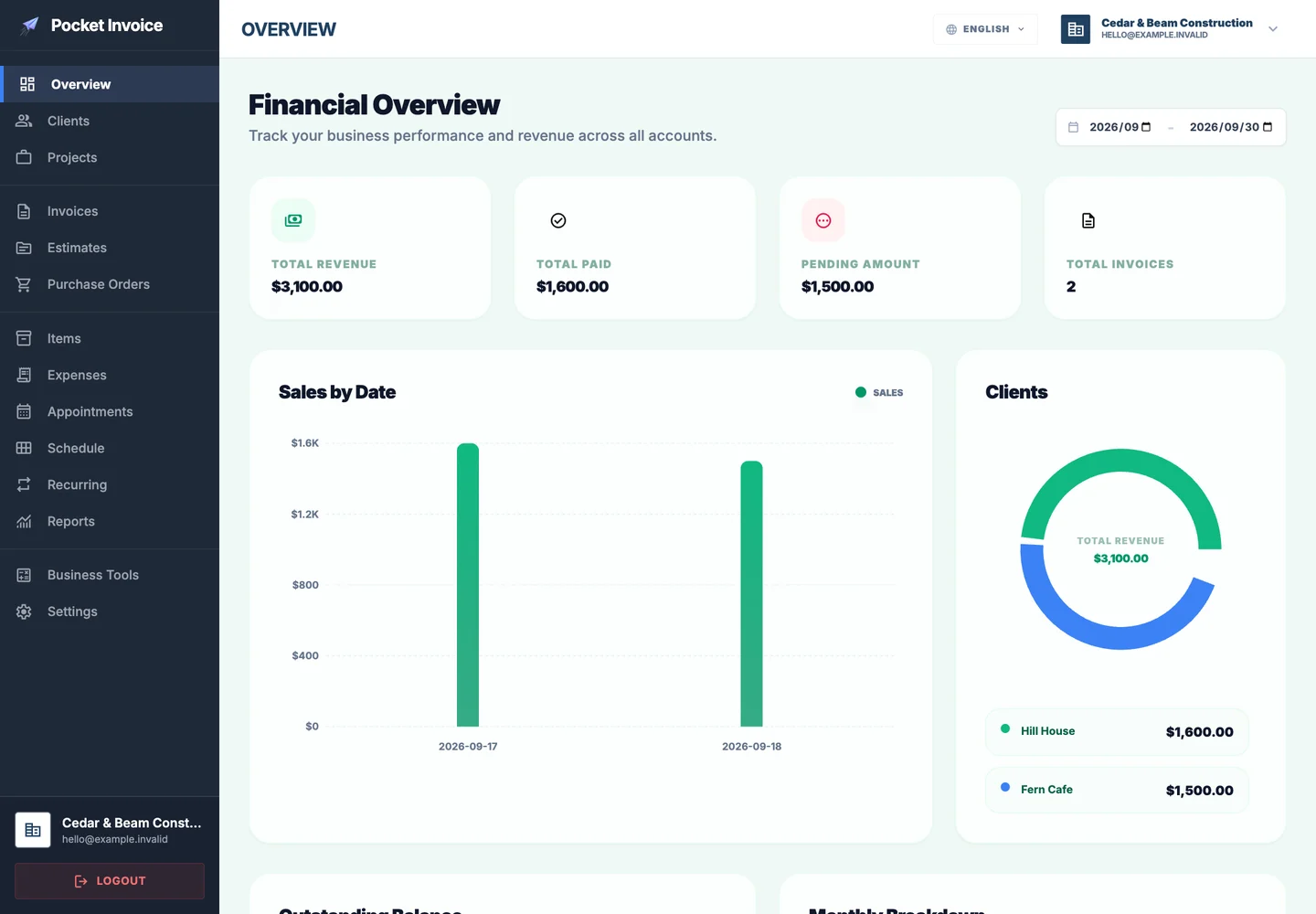
Pocket Invoice business dashboard
Pocket Invoice interface with illustrative business data.

References & further reading

FTC — guides against deceptive pricing ↗Pocket Invoice — sales tax calculator ↗

Educational planning tools only. Confirm measurements, prices and applicable tax or lending rules before making a commitment.

Free Invoice Maker

Continue on Web or mobile.

Sign in to manage documents on the Web, or download the app for iPhone and Android.