Skip to content
Pocket Invoice: Free Invoice MakerFree Invoice Maker

Lawn care software

Keep your lawn care business running smoothly with Pocket Invoice. Send estimates and invoices, and save hours of work by automating your workflow.

Lawn care professional mowing grass
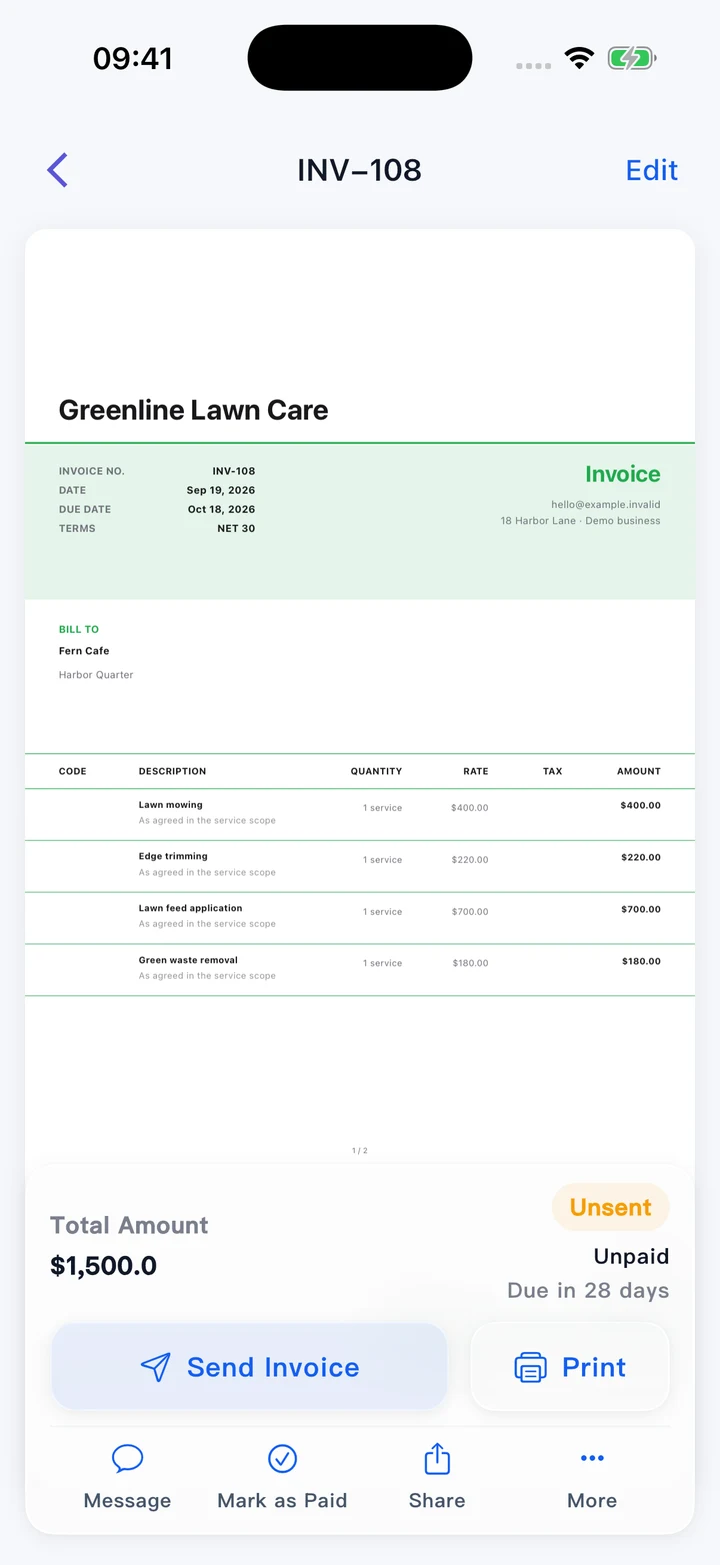
Lawn service invoice on a phone
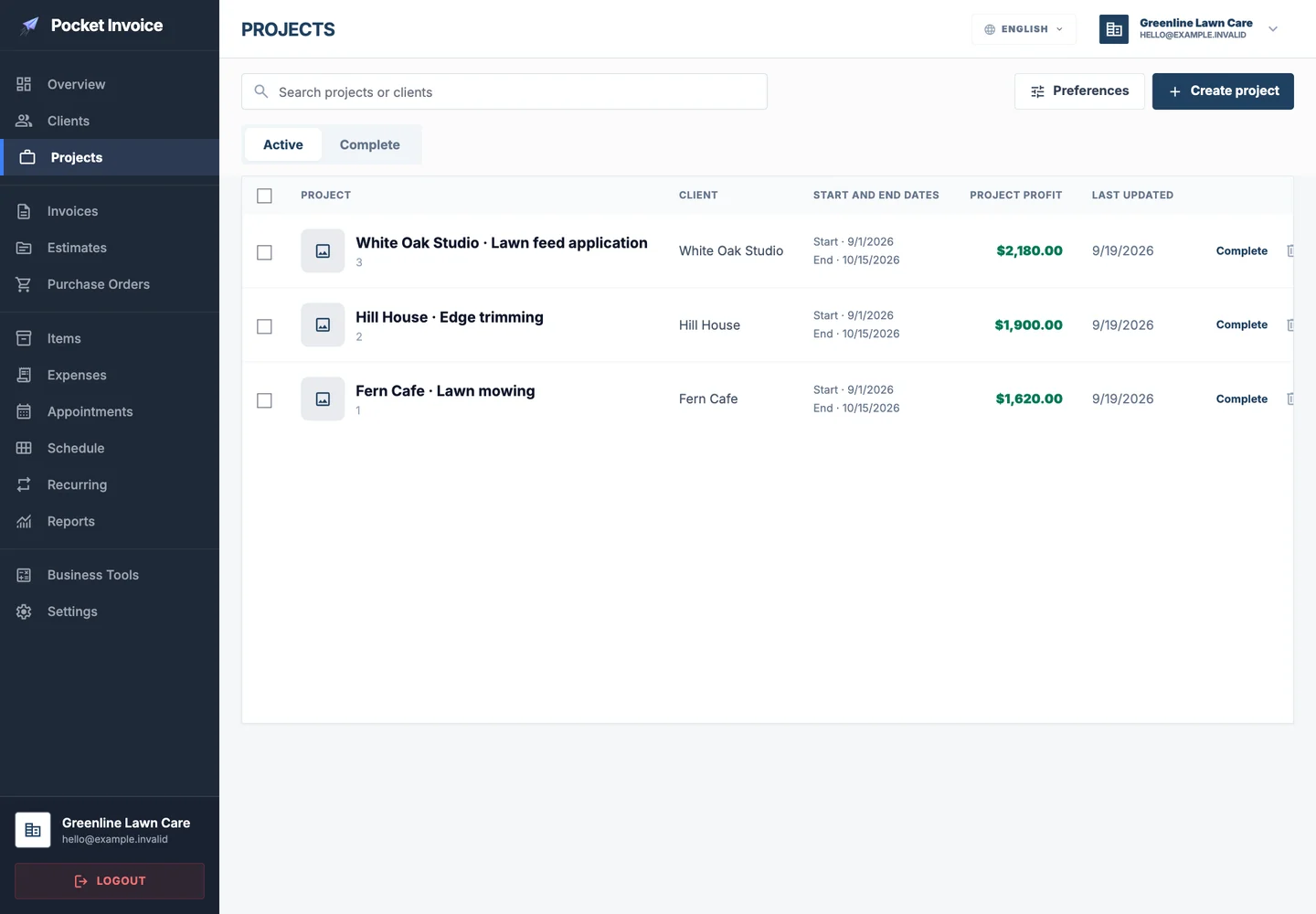
Lawn care project list
Lawn care invoice on a phone

Keep your lawn care business running smoothly

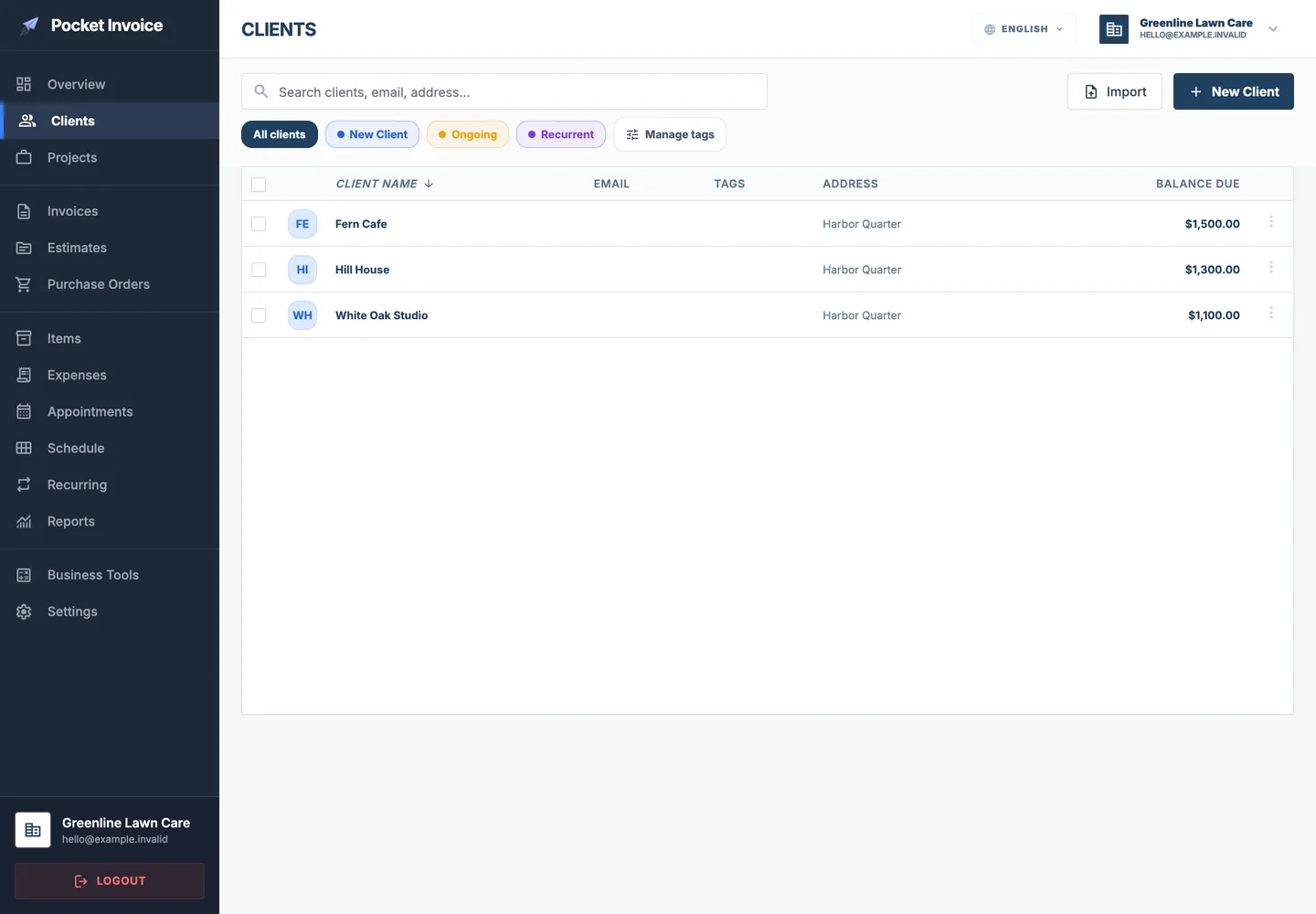
With Pocket Invoice, keep track of customers whether you're in the office or on site. Send quotes, estimates and invoices, and quickly download customer account statements.

What is lawn care software?

Lawn care software is a digital tool that helps lawn care contractors simplify operations and improve overall business performance. Scheduling services, tracking customer payments and keeping accurate records can quickly become overwhelming for lawn care professionals.

Lawn care is rewarding work, allowing contractors to improve outdoor spaces and make properties more attractive. But it also brings challenges such as unpredictable weather, managing several customers and ensuring timely payments. These factors can complicate cash flow management and cause service delays.

Tools such as Pocket Invoice simplify these tasks by allowing contractors to create detailed invoices, track expenses and manage customer databases efficiently. With lawn care business software, contractors can keep daily administration organized and confidently focus on excellent service and healthy lawns.

Estimate lawn care costs →
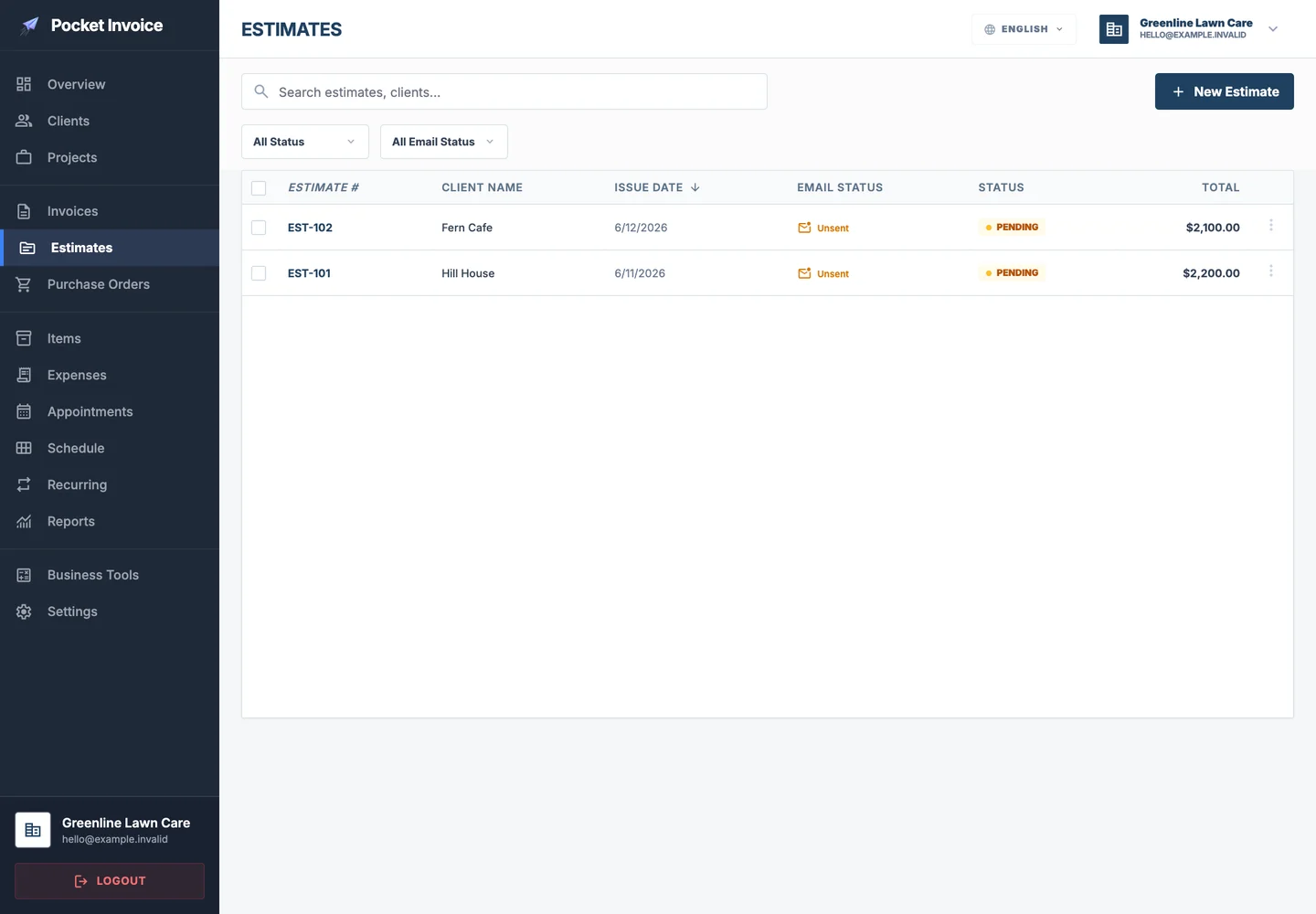
Lawn care estimate records

Why do lawn care contractors prefer Pocket Invoice to other software?

Lawn care contractors work at a fast pace, and managing several customers, scheduling services and handling invoicing can be challenging.

Pocket Invoice is designed for the specific needs of the lawn care industry, making it a preferred choice for these professionals while simplifying operations and improving efficiency.

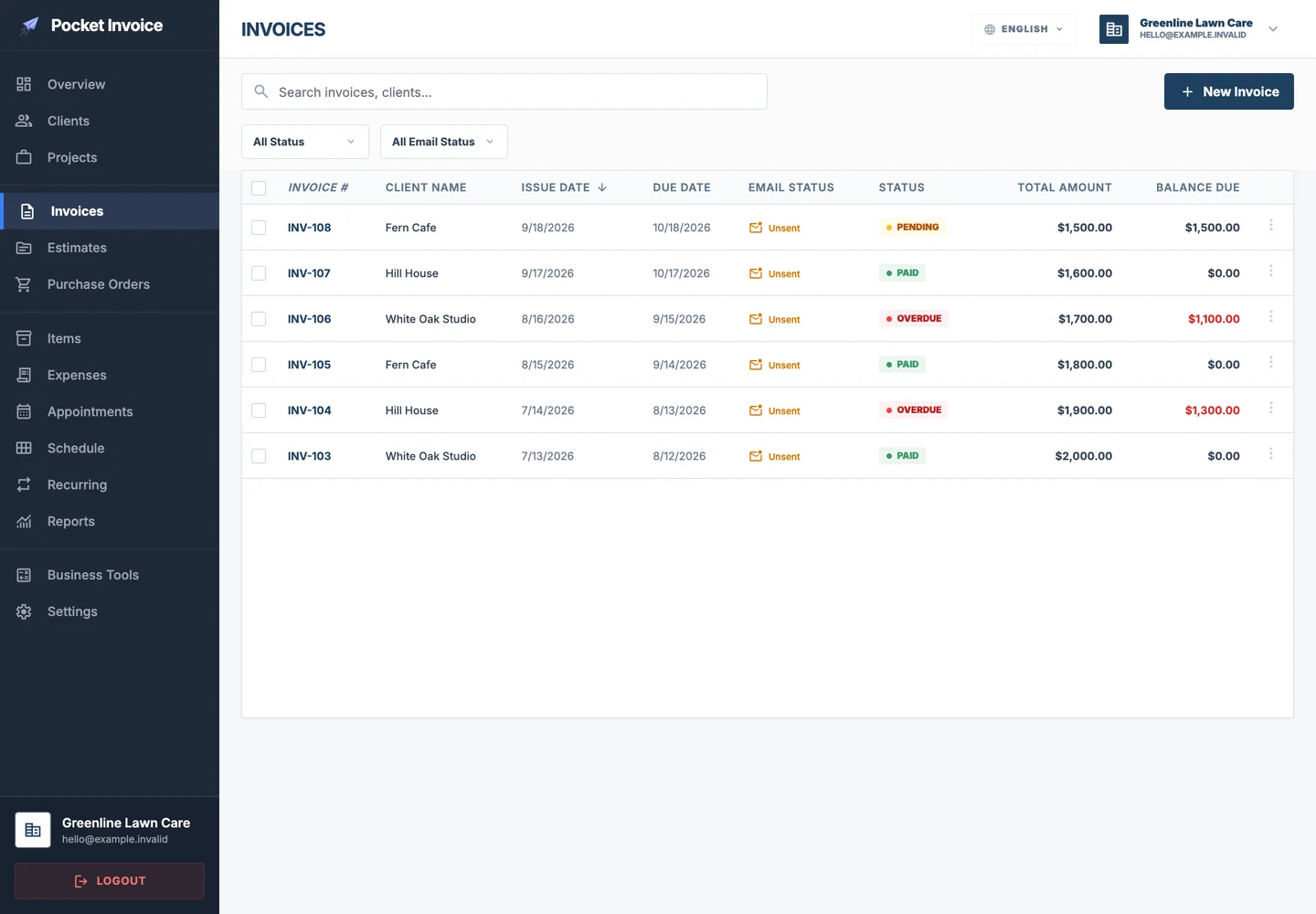
Lawn care invoice list

An intuitive, easy-to-use interface

Lawn care professionals would rather focus on outdoor work than spend too much time learning complicated software. Pocket Invoice offers a clean, intuitive interface that lets contractors easily create and send invoices, track payments and manage customer details with little learning required. Its simplicity gives them more time to care for lawns and less time spent on daily administration.

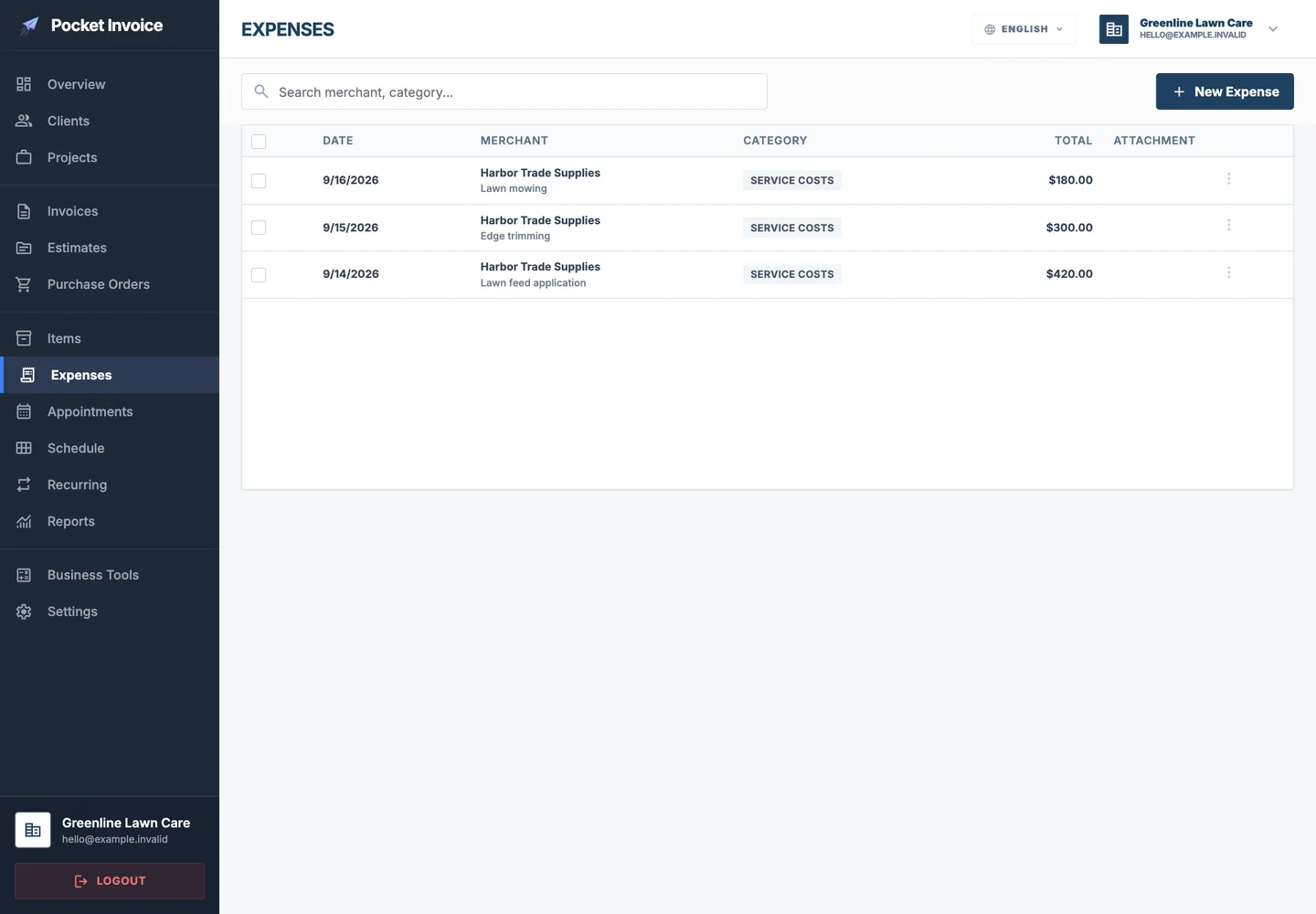
Lawn care material and equipment expenses

Features customized for lawn care

Compared with general invoicing tools, Pocket Invoice fits the needs of lawn care businesses. Contractors can create detailed, itemized invoices for mowing, fertilizing and landscaping services so customers clearly understand each cost. Job scheduling and customer management features also help contractors maintain good customer relationships while handling several projects.

Lawn care customer details

Mobile and desktop apps

Lawn care contractors often work on site, traveling between several locations in a day. Pocket Invoice's mobile features let them create invoices, update job status and check payment history from a phone or tablet. Real-time access to information provides the flexibility needed to manage business on the move and helps them respond promptly to customer questions and communicate effectively.

Time-saving tools

Invoicing and payment management can take considerable time, especially in the busy season. Pocket Invoice simplifies repetitive tasks such as sending payment reminders and preparing invoices for regular customers. Automating this work saves valuable time, helps maintain steady cash flow and reduces the stress of chasing payments, allowing contractors to focus on high-quality service.

How much do lawn care workers earn? Wages, costs and taxes

The US Bureau of Labor Statistics' May 2025 occupational wage table lists a mean annual wage of USD42,290 and a median hourly wage of USD18.82 for landscaping and groundskeeping workers, including mowing work. These figures are a reference for US employee wages and cannot be used directly as an independent operator's price per service.

Experience, location and business size all affect income. Earnings may vary considerably between new lawn care workers and experienced contractors managing larger businesses. Income may be higher in areas with strong demand or higher living costs, such as San Francisco and Miami, but local operating costs also need to be considered.

Operating costs also include equipment maintenance, fuel, vehicles, loading and unloading, and travel between addresses. Overgrown grass or more obstacles can mean more time for the same area. Monthly pricing also needs to account for the agreed number of visits and seasonal effects.

Try the lawn care cost calculator to estimate a quote from area, service prices and frequency, then compare it with actual labor, fuel and equipment costs. Calculate earnings after business expenses and set aside taxes according to local requirements. Independent contractors and small-business owners also need to consider self-employment tax for Social Security and Medicare, federal income tax, and state and local taxes that vary by location.

Wage sources: US Bureau of Labor Statistics: Grounds maintenance workers and the May 2025 occupational wage table.


Lawn care professional operating mowing equipment

Free lawn care business resources

Lawn care software FAQs

How do I track and manage expenses for lawn care materials such as seed and fertilizer?

Recording expenses for materials such as seed, fertilizer or tools is simple:

Go to Tools and select Expenses.

Manually add a new expense for purchases such as fertilizer, lawn care tools or seed, or scan the receipt.

This records individual business expenses and includes them in your overall costs.

How do I request an advance payment for a large lawn care project?

Requesting an advance payment is a suitable option for larger lawn care projects, such as laying sod or extensive landscaping:

Open the estimate for the project.

Scroll to Advance Payment Request and turn it on to request payment upfront.

Make sure Stripe or PayPal is set up to process advance payments, making payment easier for customers.

How do I track time spent on lawn care services such as mowing and trimming?

Pocket Invoice's Client Time Tracking records the time spent on each lawn care task, such as mowing, trimming or fertilizing. Go to Tools and select Client Time Tracking. Record the hours for each job and convert the logged time into an invoice to ensure that time-based services are billed accurately.

Can I add before-and-after lawn care photos to an invoice?

Yes. Showing customers your results helps demonstrate your professionalism. Here's how to add photos:

Open the invoice for this lawn care job.

Scroll to the area before Notes and add photos taken before and after the lawn care work.

This is especially useful for showing the changes your service brings, such as a freshly trimmed lawn or an improved garden area.

Start managing your invoices now