
It can be correct: total project value, advance payment, balance. But the client still asks how much they should pay now. So before you start choosing colors and decoration, arrange the layout.
Header: who issued it and which document it is
Title: Invoice, unique number, issue date, due date. Business name. Logo — don't let it push the number and payment details into a corner. Address. Contact info.
Group the business or person responsible for payment, billing address and contact. Project references, PO numbers, accounts, relevant tax IDs: put them together and label their purpose. Parties and references need to be clear outside the original email.
- Document title, unique number.
- Issue date and payment deadline.
- Issuer and contact details.
- Customer payment info, relevant references.
Line items: what, how many, unit price, amount
For hourly work: hours and rate. A fixed project: list it as one item or agreed amounts for deliverables and stages. No invented hours. For goods: quantity and unit price. Omit columns you don't need.
Allow for line wrapping of long descriptions. Align numbers. Use a uniform currency style. Keep required details for different rates, deliveries or tax treatments. Don't hide the data required to check a charge by hiding a column.
- Clear description of the item or service.
- Quantity or time unit.
- Tax, rates, price and line amounts can be checked.
- Uniform number and currency style.
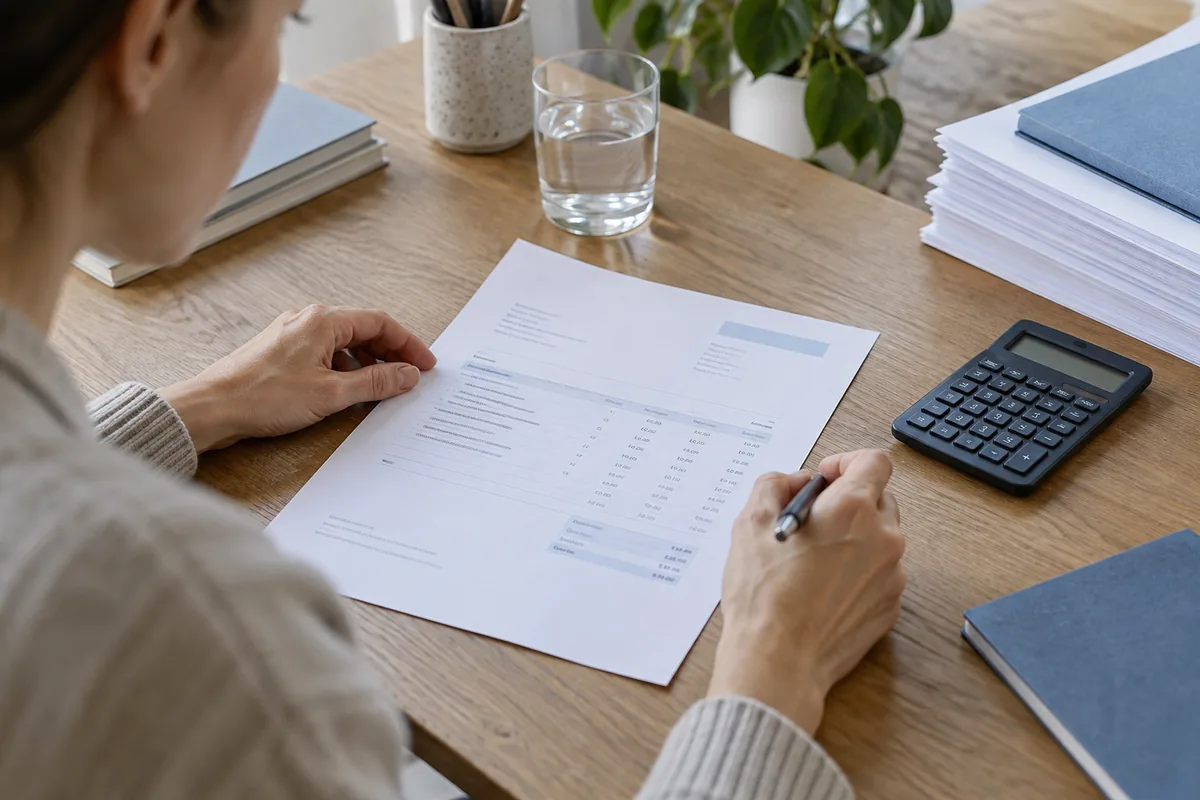
Make the amount due now easier to see
Try to make it clearer to see the amount to pay now than the total amount for the project. Keep subtotal, discount, relevant tax, advance payment received, credits and balance to pay in one summary in calculation order. Don't leave clients to find the adjustment on the next page.
- Subtotal and adjustments.
- Tax and total.
- Advance payment received and credits.
- Amount to pay now, deadline and instructions.
Try to make the explanation brief and payment options visible.
Put useful payment options, the deadline and payment instructions near the balance. Label payment links by purpose and open them in the final PDF or email to check them. If payment is agreed by 30 September, state the date. “As agreed in the contract” makes the payer go back to the contract. Reference a signed agreement for long project terms rather than stuffing the small print with them.
View it on a phone and then look at the printout
Check font sizes, contrast, spacing and labels. For instance, pale grey 12-pixel amount text may look neat on a big screen but be a pain to read on a phone or printout. This is not a universal font-size rule. Don't put important info only in decorative images. Don't just use colours to indicate status.
Email the exported PDF to yourself to look at. Check page breaks, long addresses, emails, account numbers, multilingual characters, tax, links and the filename. For anyone wanting to copy a number or use a screen reader, inspect the actual text and reading order produced by your chosen method. Don't just assume that what you see in the editor is all that matters.
- Good typography and contrast.
- Good reading order, including for assistive use.
- All your pages, on screen and in print.
- Good filename. Check before sending.
Pocket Invoice has templates and custom PDF export. Check billing details after selecting a layout. The W3C contrast/reflow explanations are useful reference material for web reading; a fixed-page PDF still needs its actual exported result checked.
Not everything should get larger
Coalesce your business name, address, contact info. Separate the responsible party — the one who'll pay for it — from the customer contact. Arrange the number, issue date and due date compactly. Separate the item table from the summary.
Coalesce business name, address, and contact info. Keep the paying party separate from the customer contact info. Compact the number, issue date, and due date. Separate item table and summary.
Use an email address that someone will be checking. Include a phone number and address if appropriate. For a multi-departmental customer, include the business contact or purchase order number so the bill payer can check the charge. You don't have to have a big heading for every box.
Some useful columns for the work type
| Work type | Useful columns |
|---|---|
| Goods | Item / quantity / unit price / amount |
| Hourly services | Task / hours / rate per hour / amount |
| Fixed-price project | Deliverable / stage / amount agreed |
| Mixed | Separate goods / labour / agreed amounts |
Show the calculation and the service period
When no tax adjustments are being made, a charge of 2,000 minus an advance payment of 500 leaves 1,500. Only show 1,500 and the calculation is hidden. Only show 2,000 and it is possible to pay the advance payment twice. Label the total, amount paid and balance, with the focus on the balance.
Be clear about how you calculate discount and tax and mention the currency. It is better to say CNY, USD or MYR than just the currency symbol on international invoices. If you add the total amount from the contract for context, spell out that this isn't the amount you are asking for now.
For monthly maintenance, explain the period of service. That way it's clear that Sept and Oct are different. What is that prepayment document for? Explain it in the document. Explain what the settlement is: payments received, amount left. For hourly work, state hours. Make sure rates are differentiated if they're different.
Word, spreadsheets and PDF: use for the right reason
Use Word and Google Docs for lots of text, fewer items. Double-check sums after changing a charge. Use Excel and Google Sheets for quantity, unit-price, tax and total calculations. Keep formulas in place. Check added rows and print areas.
Consider editing and delivery separately. Use a spreadsheet for calculations, then an exported PDF as the final copy to minimise changes in column width and page breaks when opened. Give an editable file if they require it. Keep what you send in the end. Don't send a screenshot of the entire invoice just because they're on a phone.
| Format | Use it for | Check before sending |
|---|---|---|
| Word / Docs | Longer service descriptions, fewer items | Wrapping, amounts, pages |
| Excel / Sheets | Quantities, unit prices, tax | Formula ranges, hidden rows, print areas |
| Send / store it | Legible text, full pages, clear amounts |
Which option fits the task?
| Use case | Option | How to use |
|---|---|---|
| Finish the document in a browser | Online invoice editor | Add items, verify calculations, export PDF. Hold payment proof separately. |
| Edit long text or hand a file to someone | Word template | Edit items, then verify amounts and pages before preparing the client copy. |
| Calculate quantities and varying unit prices | Excel template | Preserve formulas. Check added rows are included in totals, and the full print area. |
| Collaborate from a browser | Google Docs / Google Sheets | Import the supplied Word or Excel file. Check converted formatting or formulas. Set sharing permissions. |
| Handle customer info and billing records | Pocket Invoice app | Handle records through the app. A public-editor PDF download doesn't automatically make an account record. |
If you have labour/parts work, check the labour and materials bill example. If you're comparing online editors, check Pocket Invoice vs Invoice Generator. If you need it occasionally, a checked template may be sufficient. With recurring customers or partial payments, holding records may cut re-entering and searching. More about what you do again than features.
Long invoices, email and printing
If your invoice details need multiple pages, use multiple pages. Organize billable activities into tasks your client can check on the main invoice, with daily hours, materials or mileage attached. Repeat the header and invoice number, include page numbers, and keep items and the summary together when you can.
Don't shrink the font to fit one page. Don't leave your total and payment method alone on the last page. Make sure long product codes, email addresses and account numbers aren't running outside the page or into each other.
Make sure your business is recognizable. Your company name. A small logo. One main color. Bold the heading and amount due. Keep contrast clear in the content. Spell out payment status so it still makes sense in black and white or when colors are difficult to differentiate.
INV-2026-014-client-name.pdf is easier to find than final-final-version2.pdf. An email saying how much and by when, with a natural thank-you, is more useful than a giant decorative image. Open the final file outside the editor and check it stays intact when forwarded or printed.
Let your clients know the service period for monthly maintenance.
Special-purpose documents
Commercial invoice for international shipping — you might need customs info. A tax invoice might need registration info and specific text. A pro forma invoice serves a different purpose from a final payment request. Know what's needed and what rules apply. Your generic template may not do it all.
Common questions
Is there a standard layout?
No global standard layout. Usually there's a heading. Details for both parties. Itemised charges. Totals. Payment details and payment terms. What information you need will vary by context and the rules that apply. The linked GOV.UK fields apply to the UK.
Do invoices have to be a single page?
No. If you can get it on one page easily, use one. Otherwise, use as many pages as you need. Repeat headers and the invoice number, add page numbers, and make totals and payment information easy to find.
Does an invoice need a logo?
No. Clear company information, contact details and line items are more useful than a blurred logo or one that dominates the header.
Can I use colours?
Yes. Use some to help reinforce your brand. Make sure the content has clear contrast. Don't rely on colour alone to convey information. The content should make sense in black and white.