 Pocket Invoice
A hotel receipt records payment for an identifiable stay. Itemize the room charges and extras, then show the amount received and balance. An unpaid room bill and a receipt confirming payment do different jobs.
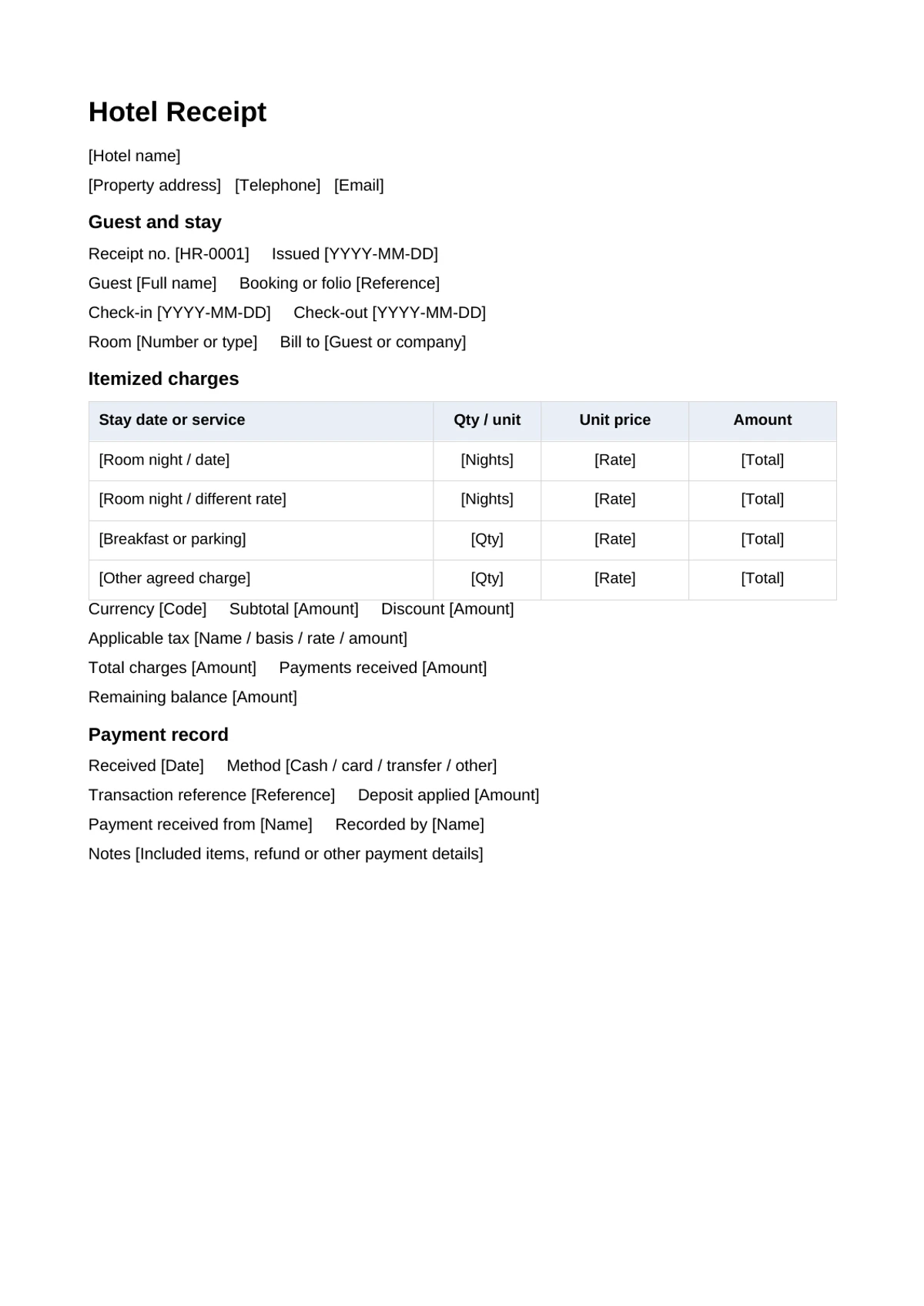
What to include
Identify the property and guest, receipt number, booking or folio reference, check-in and check-out dates, room and the person or company being billed. A guest name and the bill-to company may differ; keep both clear where needed.
For room charges, record the actual nights and rate. Split nights into separate lines when the rate changes. List breakfast, parking or other agreed charges separately, or state when they are included in a package. Enter applicable taxes using the actual local basis rather than assuming one lodging rate everywhere.
The payment section records the date, method, reference and amount received. Include a deposit applied to this stay once, and show the remaining balance. The Word template is editable; amounts require your calculation and review.
A simple checkout calculation
In this hypothetical US-dollar example, two nights at $120 are $240, breakfast is $20 and parking is $10. Assume the applicable tax has been checked and is $24. Total charges are $294. A $100 deposit applied to the stay leaves $194 to collect.
| Record | Amount |
|---|---|
| Room nights | 2 × $120 = $240 |
| Breakfast and parking | $30 |
| Confirmed applicable tax | $24 |
| Total charges | $294 |
| Deposit already applied | $100 |
| Checkout payment | $194 |
| Balance after both payments | $0 |
Show $294 received only after both payments are confirmed. A refundable security hold is not automatically a payment applied to room charges; record its release or deduction separately.
Complete and check the receipt
- Download the Word file and replace the property, guest and stay placeholders.
- Enter the actual room nights and extras, checking package inclusions.
- Verify tax, discounts, deposits, payment references and balance.
- Save the editable record and export a reviewed PDF for the guest.
For the browser receipt tool, enter room nights and extras as line items, put stay dates and booking references in the description or notes, and review the PDF before downloading.
Common questions
Can this replace a required tax invoice?
The file is a payment receipt template. Use the required local tax invoice process when that is needed; a downloaded Word receipt does not establish tax compliance.
What about two guests paying separately?
Identify which charges each payment covers. Keep separate payment references and avoid showing a shared deposit twice. Issue a receipt matching each actual payment when required.
Can I edit the file in Google Docs?
Upload the DOCX to Drive and open it with Google Docs. Check layout and totals after editing, then download a final PDF.