 Pocket Invoice
A work order records an assigned job and its progress. A quote proposes a price; an invoice requests or records payment. Link their numbers when the same job uses all three, without treating one document as a substitute for the others.
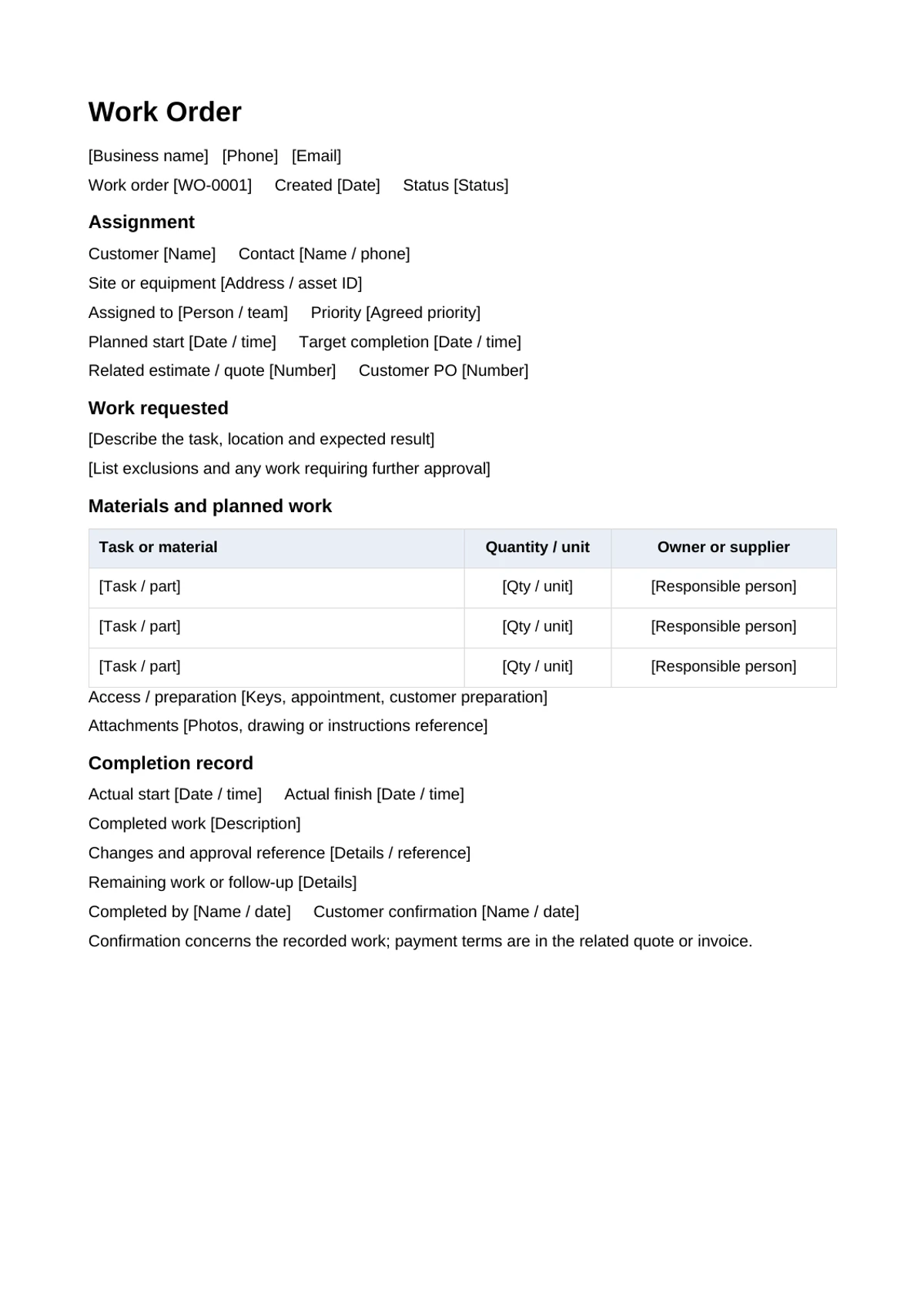
Give each document a clear purpose
Use a work order to communicate the task to the person or team doing it. Include a related accepted quote, customer purchase order or project reference where relevant. The work order itself should not silently change an agreed price or authorize extra paid work.
This resource is an editable Word form. It provides a written work record; it does not create appointments, assign staff in the Pocket Invoice app or send automatic status updates.
Fields that make the task usable
| Field | What to enter |
|---|---|
| Number, date and status | A unique work reference and the current stage |
| Customer, site or equipment | Contact, address and the asset being worked on |
| Assignment and timing | Responsible person, priority, planned start and target finish |
| Task and materials | Expected result, included work, quantities and units |
| Access and attachments | Appointment, keys, preparation and drawing or photo references |
| Completion and changes | Actual work, timing, approved changes and follow-up |
Separate “requested,” “approved” and “completed.” A task reported by a customer may need inspection before the team can confirm the work or required materials.
Example: an approved door repair
Work order WO-014 can refer to accepted quote Q-028 for an office door. The task is to adjust the existing hinge, check the closing action and leave the work area clean. The site contact and access appointment are recorded before arrival.
If inspection shows a damaged hinge that was outside the quote, record the finding and obtain approval for the replacement and price before proceeding. Completion notes should say what was adjusted or replaced, the materials used and any remaining issue. Avoid marking all requested tasks complete when one is still pending.
Complete the record, then prepare the invoice
- Replace placeholders with the job and responsible person's details.
- Check scope, access, materials and the related price approval.
- Record actual timing, work completed and approved changes.
- Keep the final version and supporting confirmation with the job.
Customer confirmation should state what is being confirmed. A signature acknowledging a visit is not automatically agreement to every extra charge. Use the accepted quote and change records to prepare the payment document.